
Task Manager
Create, edit, and complete tasks with a priority, due date, and an optional checklist. Today, Upcoming, and Completed keep your whole list organized without any setup.
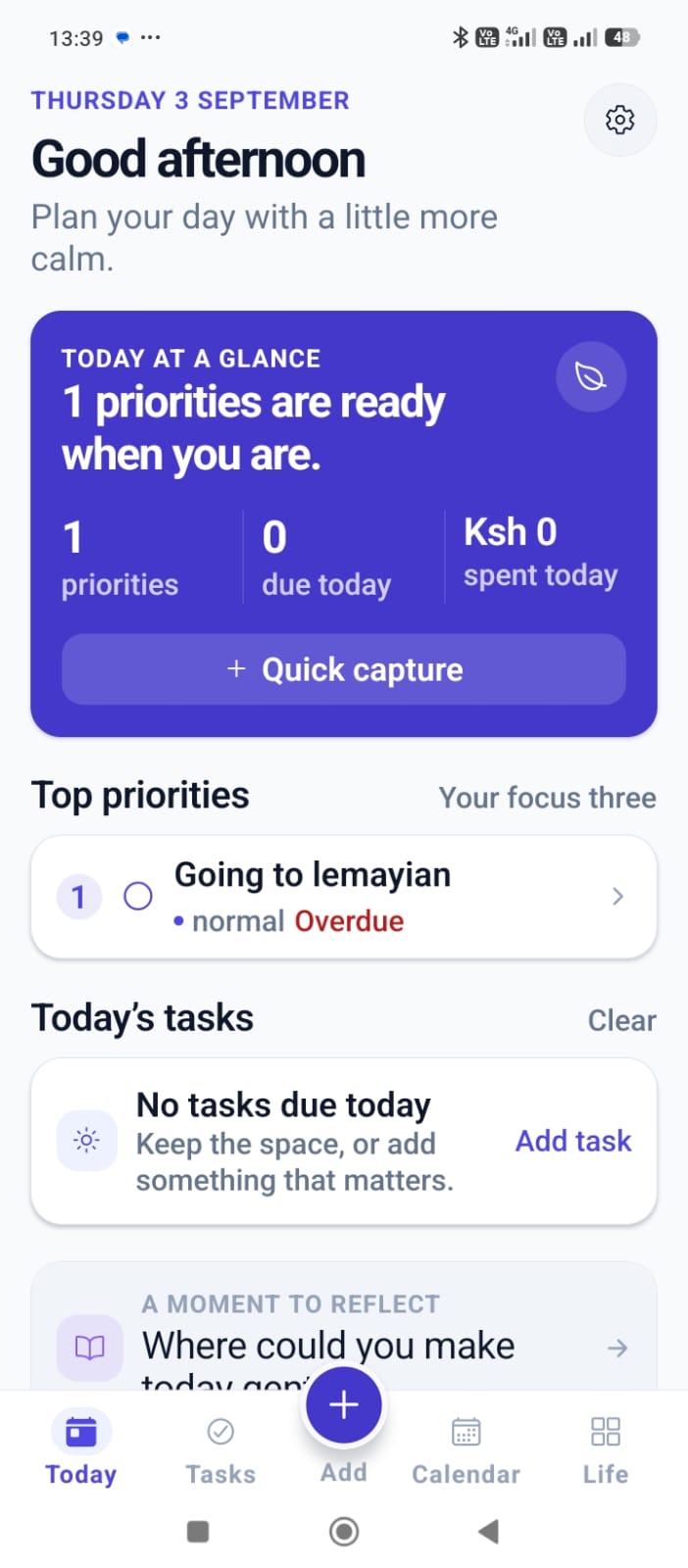
Everything a task list needs, nothing it doesn't
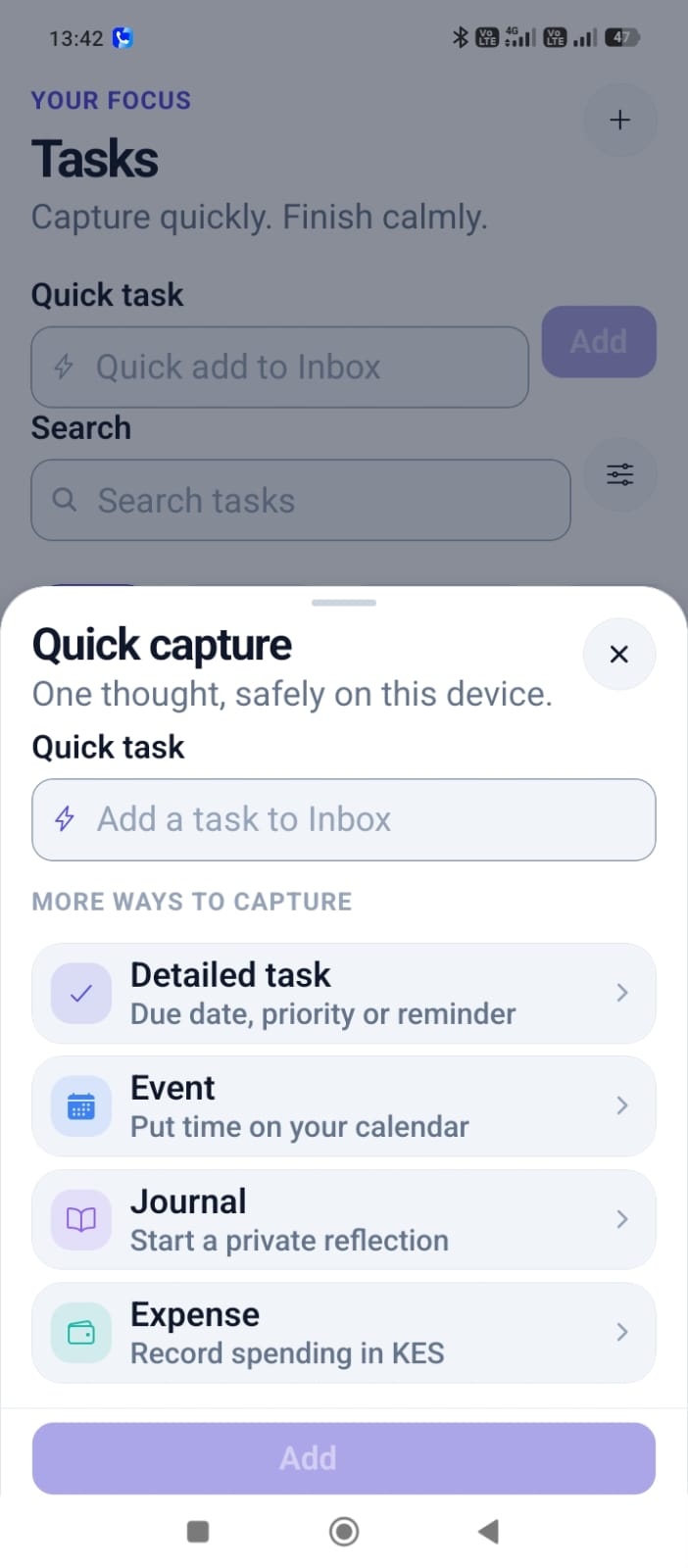
Quick capture
Add a task to your Inbox in one tap, or open the detailed form when you want due dates, priority, or a checklist.
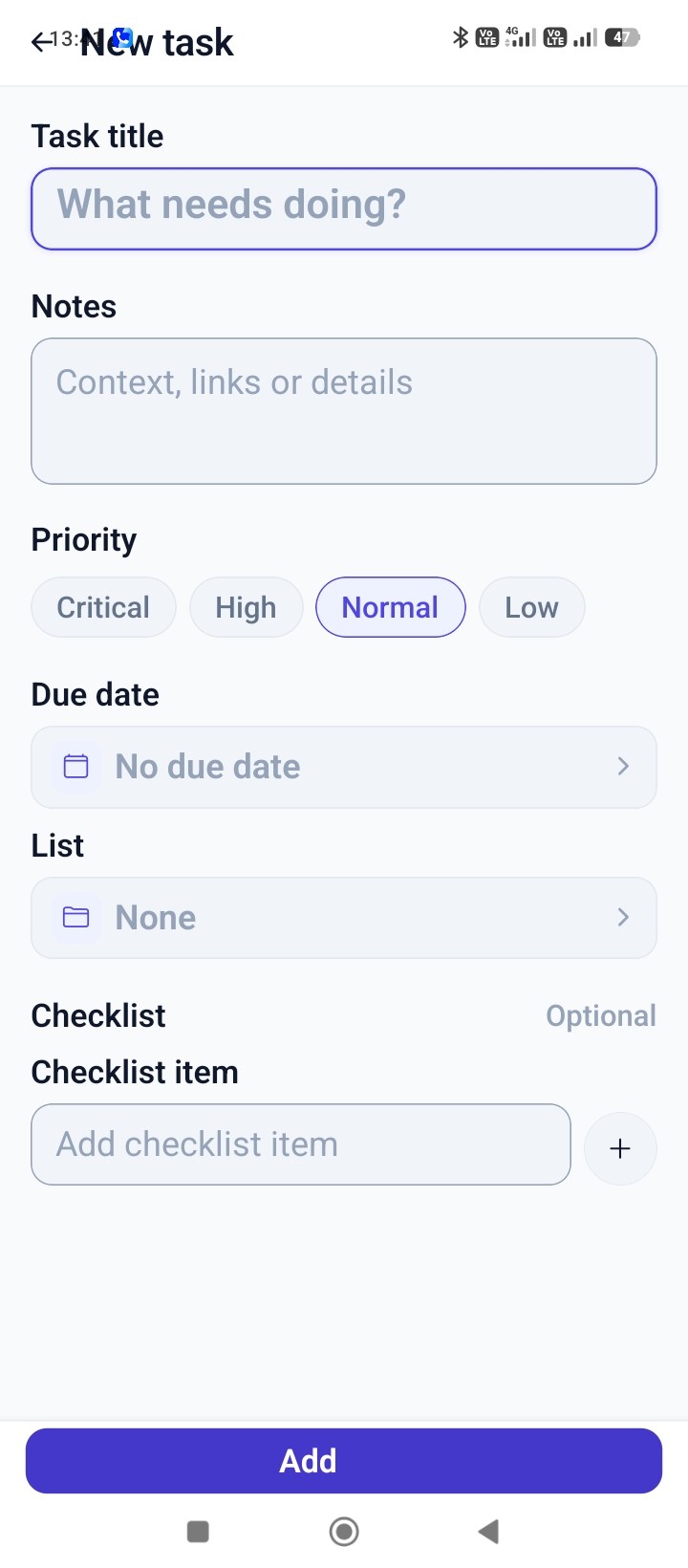
Due dates & times
Set exactly when a task is due, down to the minute, so it shows up where it belongs.
Priorities
Mark tasks Critical, High, Normal, or Low so the most important ones stand out at a glance.
Lists
Group related tasks into a list to keep projects and areas of your life separate.
Checklists
Break a task into smaller checklist items when one step isn't the whole job.
Notes
Add context, links, or details to any task for when you come back to it.
From idea to done
Add a task
Give it a title, and set a due date, time, and priority if it matters when it happens.
Find it in Today or Upcoming
Vayoru sorts it automatically - due today, or waiting in Upcoming until its date arrives.
Mark it complete
Check it off and it moves to Completed, a simple record of what you've finished.
Task Manager, screen by screen
Renew car insurance
Call the dentist
Submit quarterly report
Book flights
Task Manager FAQ
Guides for staying on top of your tasks

Getting started with tasks in Vayoru
The basics of adding, editing, and completing tasks in Vayoru - and how Today, Upcoming, and Completed fit together.

Using priorities and lists to stay on top of your day
A few practical ways to use priorities, lists, and checklists so your task list stays useful instead of overwhelming.
Explore the rest of Vayoru
Your life, in perfect flow.
Download Vayoru free and add your first task, expense, or journal entry in under two minutes.